Adobe
Technology • Marva Warnock

 Reversed logo
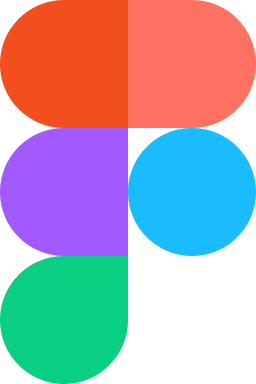
Figma's logo is built from five overlapping circles in distinct colors, red-orange (#F24E1E), coral (#FF7262), purple (#A259FF), blue (#1ABCFE), and green (#0ACF83), forming an abstract 'F' shape that doubles as a loading animation in the product
Figma’s logo arranges five colored circles in a vertical column, offset and overlapping such that they form the outline of the letter F. Reading downward: a red-orange circle (#F24E1E) sits at top-left, paired with a coral circle (#FF7262) at top-right; a purple circle (#A259FF) occupies the center; a blue circle (#1ABCFE) appears at bottom-left; and a green circle (#0ACF83) closes at bottom-right. Where circles overlap, the colors blend, creating intermediate hues that reinforce the sense of layers and shared space. The wordmark in Inter, set in title case, sits to the right of the symbol in neutral dark gray.
Figma launched in 2016 with this five-circle mark already in place, an early decision that committed the brand to a multi-color symbol unusual for a productivity tool. The mark was designed by Figma’s founding team to visualize the core product feature: multiple cursors operating simultaneously on the same canvas. Each circle was understood to represent a distinct user, with the overlapping zones representing the shared workspace. The symbol also functions as the product’s loading animation, rotating through a sequence that reveals how the five circles assemble into the F, connecting the logo’s construction to the act of collaboration.
The five-circle arrangement works because the color sequence is deliberate rather than decorative. Moving from warm reds at the top through purple at the center to cool blues and greens at the bottom, the palette traces a temperature arc that creates visual order within what could otherwise read as arbitrary multicolor. The overlapping geometry introduces a Venn-like logic: individual elements remain distinct while their intersections produce something new. This mirrors the design collaboration Figma enables, where individual contributions integrate into a shared output. The neutral Inter wordmark keeps the typographic element from competing with the symbol’s energy.
Figma’s visual system extends the five-color palette into product interfaces, where each color corresponds to a specific cursor or user presence. The brand appears on all major platforms as a dark-mode-friendly symbol, with the five circles retaining their full saturation against both light and dark backgrounds. Sub-brands such as FigJam use modified color arrangements within the same geometric language. The symbol appears on developer documentation, plugin marketplace listings, and conference materials, functioning as a consistent anchor across the ecosystem that Figma has built around its API and community.
Figma’s mark became closely associated with the shift from desktop-installed design tools to browser-based collaboration. When Figma made its core product free for individual users in 2022, the five-circle logo became ubiquitous in design education and open-source projects. Adobe’s $20 billion acquisition attempt in 2022, ultimately blocked by regulators in 2023, brought the symbol to wider attention outside the design industry. The logo’s rejection by Figma’s community of independent designers (many of whom protested the acquisition) demonstrated that a brand symbol can function as a focal point for professional identity.
Maintain adequate clear space around the Figma logo to ensure visual integrity and maximum legibility. The minimum exclusion zone equals the height of the logo's cap height (represented as "x") on all sides. This protective space prevents the logo from appearing cluttered when placed near other graphic elements, text, or page edges.
Ratio: 2.8 : 1
ViewBox: 120 × 43
Preserve the integrity of the Figma logo by avoiding unauthorized modifications. Consistent application across all touchpoints strengthens brand recognition and maintains professional standards. The examples below illustrate common misuses that compromise the logo's visual impact and brand identity.
Don't rotate
Don't skew
Don't stretch
Don't recolor
Don't add shadows
Don't crop
Don't outline
Don't place on busy backgrounds
The Figma logo uses 5 colors: Figma Red (#F24E1E), Figma Coral (#FF7262), Figma Purple (#A259FF), Figma Blue (#1ABCFE), and Figma Green (#0ACF83). These values are used consistently across all official Figma brand materials.
Yes. Click the Download SVG button at the top of this page to get a production-ready vector file. SVG format scales to any size without quality loss, making it ideal for websites, presentations, and print materials.
The Figma logo was designed by In-house Figma in 2016. The design has become one of the better-known marks in the Technology space.
Maintain clear space equal to the logo's cap height on all sides. Do not rotate, skew, stretch, recolor, crop, or add effects to the logo. Always use the official SVG file and ensure sufficient contrast with the background.
A reverse logo is a white or light version designed for use on dark backgrounds. It maintains the same proportions as the primary Figma logo while ensuring legibility on brand-colored surfaces, dark packaging, or apparel.
The Figma logo uses Figma Sans. For accurate representation, always use the official vector logo rather than attempting to recreate the typography.
Commercial use of the Figma logo typically requires written permission from Figma. The logo is trademarked intellectual property, so while editorial use and accurate product references are generally permitted, promotional or commercial use needs authorization. Do not alter the logo or use it to imply endorsement.